Trigger a GitOps update
With automated sync enabled, the Git repository is now the source of truth for catalog. To roll out a change we don't touch the cluster at all — we change the manifests in CodeCommit and let Argo CD reconcile. Let's bump the catalog container image from 1.2.1 to 1.2.2 and watch it deploy.
First, clone the CodeCommit repository into the IDE. git-remote-codecommit lets git authenticate to CodeCommit using your ambient AWS credentials through the codecommit:: remote helper — no SSH keys, no Git credentials:
The rm -rf makes the step idempotent: if you ran the clone earlier or re-entered the lab via prepare-environment, any previous working copy is removed before cloning a fresh one. The cleanup hook between fastpath modules also removes this directory, so it may not be present from a previous session.
Confirm the current image tag in the repository:
image: "public.ecr.aws/aws-containers/retail-store-sample-catalog:1.2.1"
Update the image tag from 1.2.1 to 1.2.2:
image: "public.ecr.aws/aws-containers/retail-store-sample-catalog:1.2.2"
Commit and push the change. Run the whole block as one chained command — Git needs user.email and user.name set in this repository before the commit, and the chain (&&) guarantees the identity is in place before git commit runs:
If you split the block and run git commit standalone, you may see fatal: unable to auto-detect email address — that means the git config lines didn't run yet in the same shell. Just re-run the chained block above.
That's the entire change — a single commit to Git. Argo CD polls the repository on its own schedule and reconciles when it detects the new revision. To avoid waiting up to ~3 minutes for the next poll, ask Argo CD to refresh the Application now:
application.argoproj.io/catalog annotated
Wait for the rollout to complete with the new image:
deployment "catalog" successfully rolled out
Confirm the running Deployment is now on the new tag:
public.ecr.aws/aws-containers/retail-store-sample-catalog:1.2.2
You can also confirm Argo CD reconciled to the new revision and reports healthy:
Synced/Healthy
You can also see the rolled-out version on the Argo CD UI:
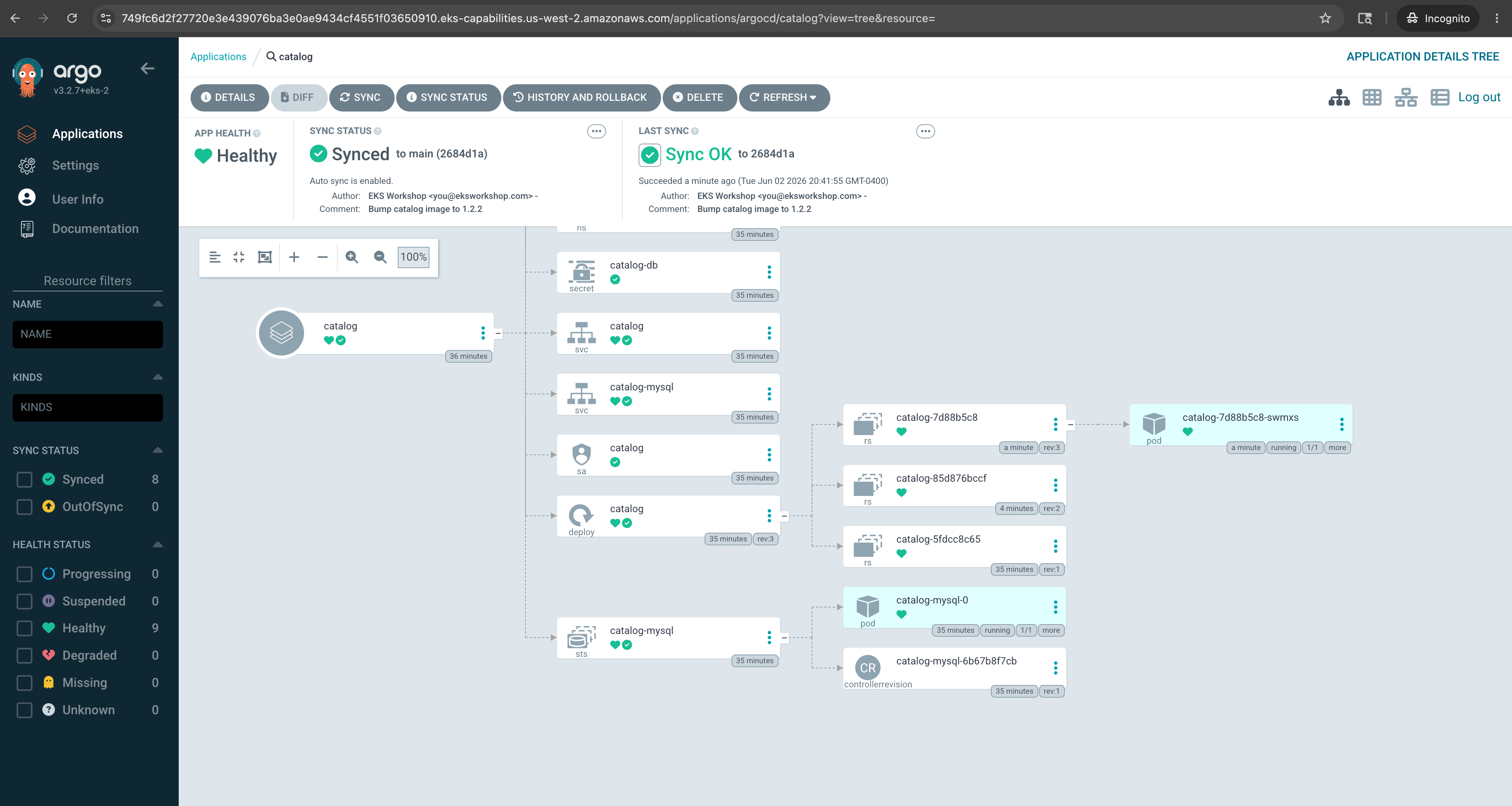
Because selfHeal is enabled, try editing the Deployment directly — for example kubectl scale -n catalog deployment/catalog --replicas=3. Argo CD detects the drift from Git and reverts it, because Git, not the cluster, is the source of truth.
That's Lab 2 done. You delivered the catalog service through a fully managed GitOps pipeline: a push to CodeCommit became a reconciled rollout on the cluster, with no kubectl apply and no self-managed Argo CD to operate.
Next, we'll use the kro capability to declare the complete carts stack as a single resource graph.